 timothy
41e2870113
timothy
41e2870113
#505 asked to route the #498 native-decode path through TonemapQsvFilter to
move HDR tonemapping off the CPU. Measured on the Intel host (jazz: FFmpeg
8.1.2 / iHD 25.1.4 / UHD 630) against real HDR HEVC Main10, that filter is a
SILENT no-op: a graph ending in vpp_qsv=tonemap=1 returns a frame byte-identical
(same md5) to the same graph with no tonemap at all, with no warning and no
error. QSV VPP tonemapping needs Gen11+; pre-Gen11 iHD ignores it.

So the issue's premise was inverted, and the branch it wanted to extend was
already broken: the existing DecoderHardwareAccelerationMode == Qsv path shipped
untonemapped HDR whenever QsvPreferNativeDecoder was off -- which is exactly the
escape hatch #498/#523 recommend. Prod was unaffected (native-decode is the
default and took the working software branch).

Tonemap on the GPU via OpenCL instead, the route VaapiPipelineBuilder already
uses and the one Jellyfin uses. The scale has to run first, in scale_vaapi:
tonemapping full-size is slower than the software path it replaces (15.5s wall
for 12.5s of content, below realtime), while scale-first cuts total CPU ~60%
(35.6s -> 14.1s) and lands at the no-tonemap wall-clock floor. A QSV surface
maps to neither OpenCL nor VA-API, so the gate requires software frames: the
QSV decoder and deinterlace_qsv both fall back to the software tonemap, slower
but correct. TonemapQsvFilter is deleted -- a filter that silently does nothing
is worse than no filter.

Also fixes output tagging: the first end-to-end run was correctly tonemapped yet
still announced bt2020 primaries, because SetPixelFormat's usesVppQsv predicate
("did a hardware filter strip color info") listed only the QSV filters. Both new
filters are now in it.

Validated end to end on jazz with the exact generated command: exit 0,
YAVG 26.39 (software reference 26.6, untonemapped 44.3), and ffprobe reports
bt709 space/transfer/primaries.

fixes #505
ErsatzTV
ErsatzTV lets you transform your media library into a personalized, live TV experience - complete with EPG, channel scheduling, and seamless streaming to all your devices. Rediscover your content, your way.



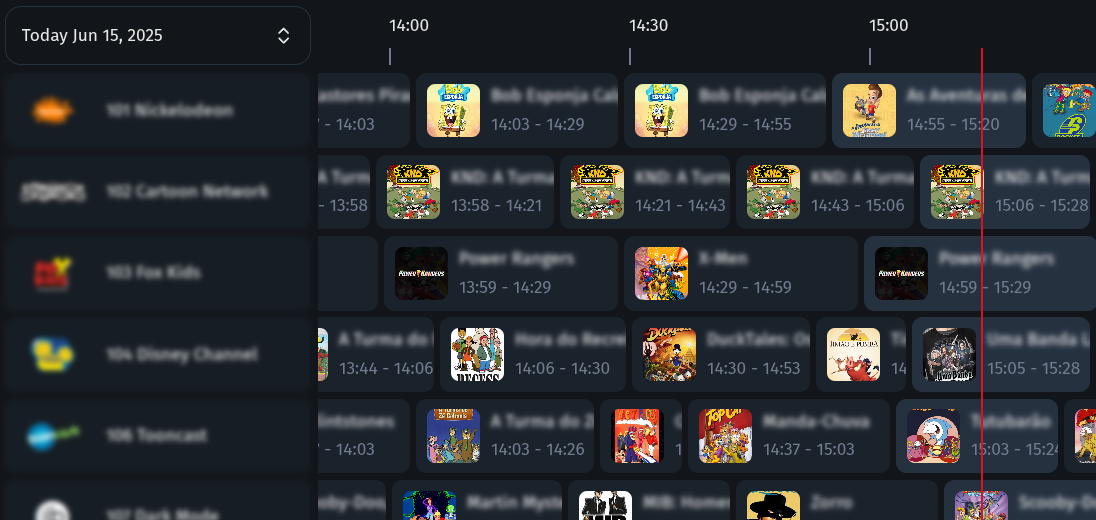
How It Works
- Install ErsatzTV: Download and set up the server on your system.
- Add Your Media: Connect your media libraries and collections.
- Create Channels: Design and schedule your own live channels.
- Stream Anywhere: Watch on any device with IPTV and EPG support.
Key Features
- Custom channels: Create and schedule your own live TV channels.
- IPTV & EPG: Stream with IPTV and Electronic Program Guide support.
- Hardware Transcoding: High-performance streaming with hardware acceleration (NVENC, QSV, VAAPI, AMF, VideoToolbox)
- Media Server Integration: Connect Plex, Jellyfin, Emby and more.
- Music & Subtitles: Mix music videos and enjoy subtitle support.
- Open Source: Free, open, and community-driven project.
Documentation
Documentation is available at ersatztv.org.
License
This project is inspired by pseudotv-plex and the dizquetv fork and is released under the zlib license.