 timothy
5c8dd64acf
timothy
5c8dd64acf
Build ErsatzTV Image / CI image pin matches docker/ci (pull_request) Successful in 6s
Build ErsatzTV Image / Docs update reminder (pull_request) Successful in 7s
Build ErsatzTV Image / decisions.md append-only (pull_request) Successful in 8s
Build ErsatzTV Image / API docs in sync (OpenAPI + endpoint index) (pull_request) Successful in 8s
Build ErsatzTV Image / Formatting (changed .cs conform to .editorconfig) (pull_request) Successful in 40s
Build ErsatzTV Image / Build & test (.NET) (pull_request) Successful in 6m10s
Build ErsatzTV Image / Functional E2E (curl contracts) (pull_request) Successful in 5m36s
Build ErsatzTV Image / EF migration integrity (SQLite + MySql) (pull_request) Successful in 11m11s
Build ErsatzTV Image / Build & push image (amd64) (pull_request) Has been skipped
Local libraries permanently showed "Never scanned" in the SPA libraries
hub regardless of successful scans, even as item counts updated.

Root cause: ScanLocalLibraryHandler wrote only the path-level
LibraryPath.LastScan (which gates the per-path refresh interval) and
never the library-level Library.LastScan. The read API
(GetAllMediaSourcesForApiHandler) populates the hub's scan-time badge
from Library.LastScan, so that value stayed null forever. The three
remote scanners (Jellyfin/Emby/Plex) already set the library-level
value; only the local scanner did not. Both sides predate #202 — the
SPA hub merely made the missing value visible.

Mirror the remote scanners' semantics: record the library-level scan
time only when the scan actually ran and every path that ran succeeded,
so a skipped (unforced, interval not elapsed) or partially-failed scan
does not claim a successful scan time.

Also de-BOM the touched handler per the fix-as-you-touch charset gate
(#311).

fixes #264
ErsatzTV
ErsatzTV lets you transform your media library into a personalized, live TV experience - complete with EPG, channel scheduling, and seamless streaming to all your devices. Rediscover your content, your way.



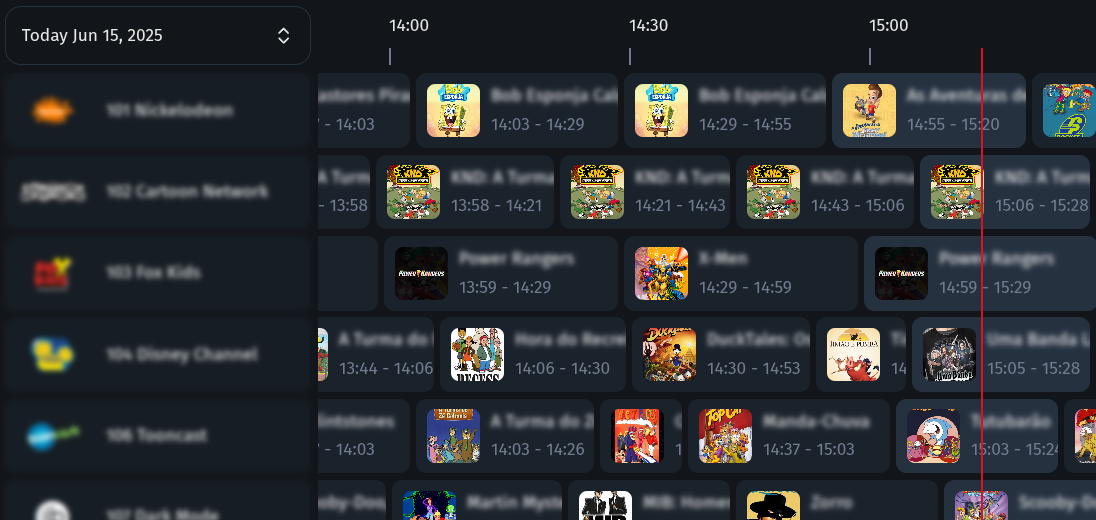
How It Works
- Install ErsatzTV: Download and set up the server on your system.
- Add Your Media: Connect your media libraries and collections.
- Create Channels: Design and schedule your own live channels.
- Stream Anywhere: Watch on any device with IPTV and EPG support.
Key Features
- Custom channels: Create and schedule your own live TV channels.
- IPTV & EPG: Stream with IPTV and Electronic Program Guide support.
- Hardware Transcoding: High-performance streaming with hardware acceleration (NVENC, QSV, VAAPI, AMF, VideoToolbox)
- Media Server Integration: Connect Plex, Jellyfin, Emby and more.
- Music & Subtitles: Mix music videos and enjoy subtitle support.
- Open Source: Free, open, and community-driven project.
Documentation
Documentation is available at ersatztv.org.
License
This project is inspired by pseudotv-plex and the dizquetv fork and is released under the zlib license.